


Modern development is moving faster than you can imagine. Developers are constantly searching for ways to build user interfaces more efficiently without sacrificing quality or time. A few years ago, creating a polished UI required manually designing components, styling them, and ensuring everything worked seamlessly across the application. But now we are integrating v0 with shadcn/ui to build React UI 10x faster.
With tools like v0 and shadcn/ui, developers can now generate and customize UI components faster while still maintaining control over the codebase.
In this guide, we are gonna explore integrating v0 with shadcn/ui, and how this combination can help you build React interfaces much faster.
Understanding v0 Vercel’s AI Editor
You are also thinking what v0 is? Let me be clear. V0 is an AI-powered interface generator designed to help developers quickly create frontend components from simple prompts. Instead of manually writing UI code, you describe the interface you want, and the tool generates the corresponding code structure.
This example might gonna feel dumb, but For Example:
“Create a dashboard card with a title, statistics value, and a trend chart.”
Within seconds, the system generates a UI layout that follows modern design practices. While v0 is effective for quickly generating user interfaces, developers require a dependable component system to ensure consistency throughout their applications. This is where shadcn/ui becomes essential, providing the necessary tools to maintain a unified aesthetic and functionality across all components.
Shadcn/ui Code Distribution System
Many libraries provide prebuilt components, but shadcn/ui follows a slightly different philosophy. Shadcn/ui offers an alternative to traditional large UI frameworks by providing easily copyable component patterns that can be integrated directly into your project. This approach allows developers to have complete control and ownership over the styling and functionality of the components, rather than adhering to rigid styling rules imposed by heavier frameworks.
Every web developer knows about shadcn/ui library. Because it gives us complete control over code.
- Full control over component code
- Easy customization
- Tailwind-based styling system
- No dependency lock-in
- Production-ready accessibility support
The integration of components directly into your project offers significant flexibility, allowing you to customize them as needed without the constraints of a framework. This adaptability makes shadcn/ui an ideal choice for seamlessly incorporating AI-generated UI starting from version 0. This flexibility makes shadcn/ui a perfect partner for AI-generated UI from v0.

10 Best AI Tools for Boosting Developer Velocity in 2026
Please Read More Blogs From My Site.
Combination of V0 with Shadcn/UI
I think it is a dumb question why we need to combine the v0 with the sahdcn/UI library like this, which is one of the favourite component libraries. You can use this library with any React project; that’s what I love. But below are some points why you should consider using the v0 with the shadcn/ui.
- Faster UI Creation
- Design Consistency
- Developer Control
- Rapid Prototyping
Setting Up shadcn/ui in Your React Project
Here comes the important and interesting part. Without wasting any time, let’s get started. To successfully integrate with v0, it is essential to first set up shadcn/ui within your project. Typically, contemporary projects utilize Next.js in combination with Tailwind CSS for optimal performance and styling. In addition, this combination not only enhances the user experience but also streamlines the development process. Thus, ensuring that your application looks great while performing efficiently is key.
Most modern setups use Next.js together with Tailwind CSS. It is totally my opinion that it does not have to align with the modern setups. Please keep that in mind.
First, install the shadcn/ui in your project.
npx shadcn-ui@latest initNow to test whether the shadcn/ui is working or not lets add the button component of the shadcn.
npx shadcn-ui@latest add buttonStart Working With The V0
Once your component system is fully prepared, you can then begin utilizing version 0 to create interface layouts effectively. To facilitate this process, you may want to consider starting with a few basic templates. Here’s the truth: as you become more comfortable, you can experiment with more complex designs. Ultimately, these steps will help streamline your workflow and enhance the overall quality of your interfaces.
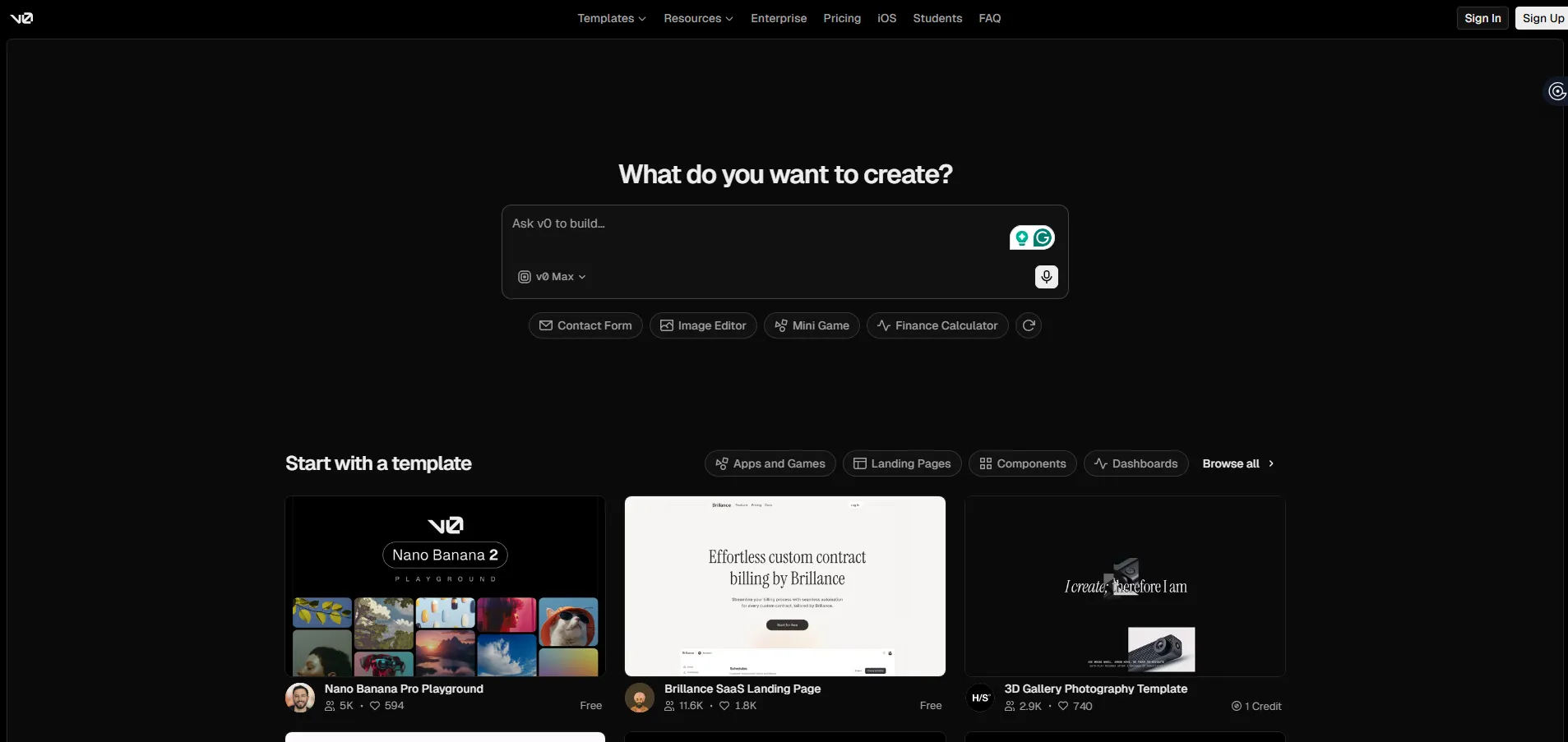
The process is simple: if you have not installed v0, then install it from their official website. After installing it on your pc then, simply start using it.
- Open the v0 interface
- Enter a prompt describing the UI
- Review the generated interface
- Export the generated React code
The output produced is generally characterized by the following elements:
- Layout structure
- Tailwind CSS styling
- Component containers
- Responsive breakpoints
At this stage, it is important to note that the code acts as a UI blueprint rather than the final production component. Consequently, it serves as a foundational framework that will undergo further refinement and development before reaching completion. Ultimately, this initial blueprint will guide the evolution of the final product.
Practical Workflow for Developers
A common workflow for integrating v0 with shadcn/ui typically begins with an initial setup. Subsequently, you can proceed to configure the necessary components. After that, it’s important to test the integration to ensure everything functions smoothly. Finally, if any issues arise, you can troubleshoot and make adjustments accordingly. This structured approach helps streamline the integration process effectively.
- Generate layout using v0
- Copy the generated code into your project
- Break the layout into logical components
- Replace raw elements with shadcn/ui components
- Replace raw elements with shadcn/ui components
- Adjust styling and structure
- Connect components to application logic
When This Approach Works Best
Disclaimer: This approach will only work in the following situations.
- SaaS dashboards
- Admin panels
- Internal tools
- Startup MVPs
- Design system prototypes
That’s all for now. At this point, I am tired of writing on the topic of integrating v0 with shadcn/ui. Furthermore, my hands don’t want to write anything more about this subject. Thank you very much for reading this blog. If you have any queries, please feel free to comment in the box below.